In today's fast-paced business environment, efficient payment management is crucial for maintaining a healthy cash flow and ensuring smooth operations. That's why we're highlighting how Odoo simplifies payment terms and automates payment follow-ups, helping you get paid on time, every time.
Why Payment Terms are Important:
Setting clear payment terms is essential for any business. Well-defined terms allow you to:
- Track finances effectively: Gain a clear understanding of incoming payments.
- Plan resources accordingly: Make informed decisions based on projected cash flow.
- Minimize missed deadlines: Reduce late payments and improve financial stability.
How Odoo Makes it Easy:
Odoo offers a flexible and efficient way to define payment terms that suit your specific business needs. Here are common types of payment terms:
1. Set Deadlines: Specify a due date for the full payment.
2. Split Payments: Divide the total amount into instalments.
3. Discounted Payments: Offer a discount for early payments.
Creating Payment Terms in Odoo:
It's easy to set up the payment terms in Odoo.
To create payment terms in Odoo, go to Accounting > Configuration > Payment Terms. Select to create New or you can modify the pre-existing rule.
For example, let's say we're creating a payment term that requires a 50% down payment upon placing the order, with the remaining 50% due by the end of the following month. Odoo makes it easy to define these terms.
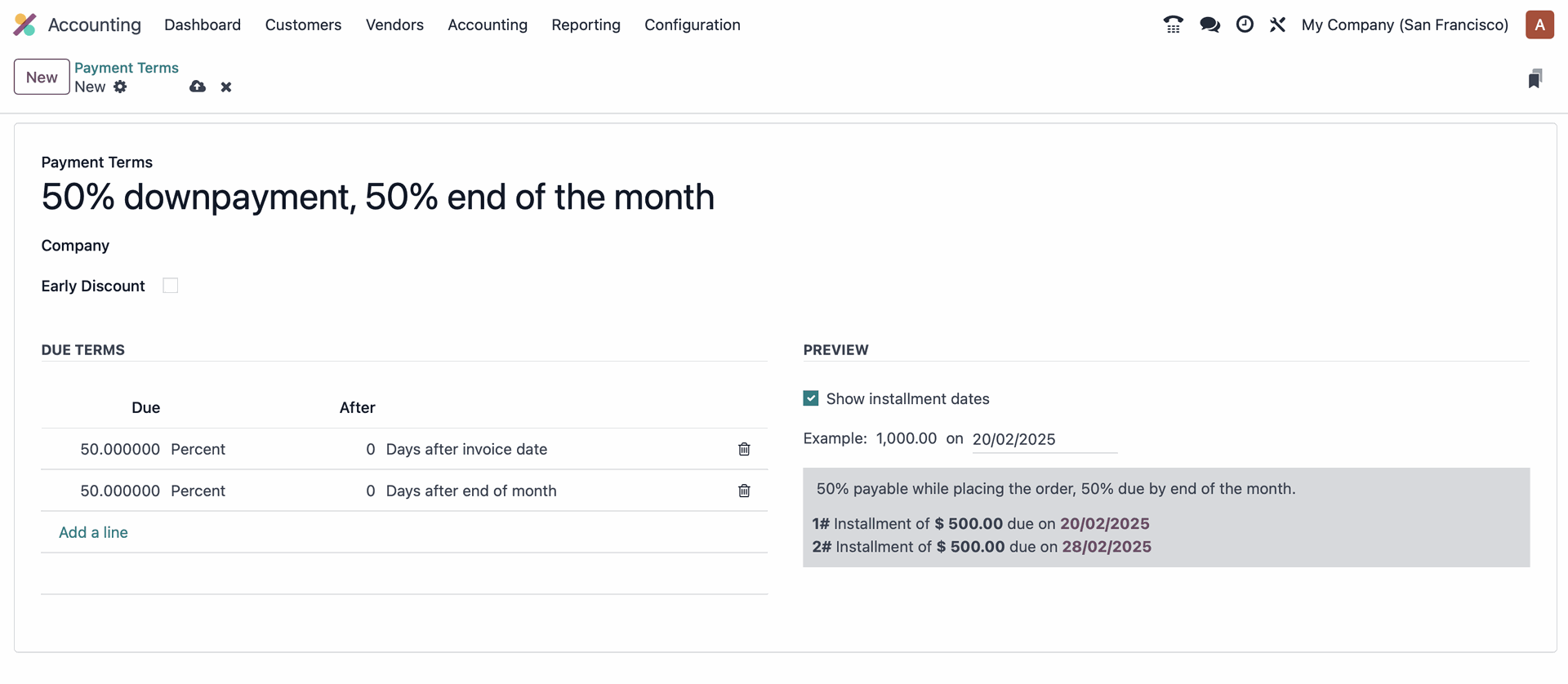
- Important Note: Payment terms are different from your standard "Terms and Conditions." The video shows how to activate Terms and Conditions under Accounting > Settings.
See it in Action:
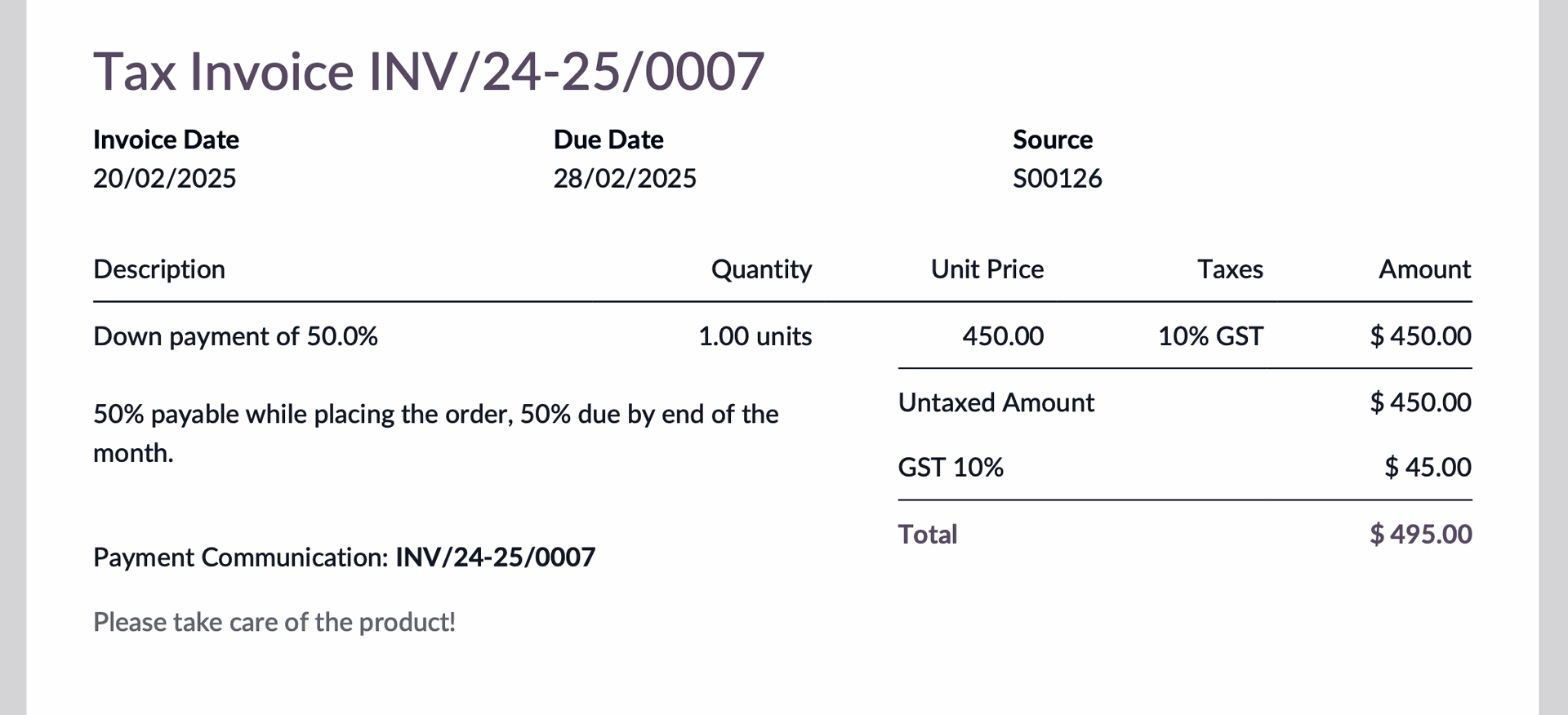
1. Go to Accounting > New Invoice to create a new invoice.
2. Select the appropriate payment terms in the criteria on the right side.
3. The invoice preview will dynamically display the amount due on the day of the invoice and the remaining balance due at the end of the next month.
Efficient Payment Follow-Ups:
Payments past the due date may need to be followed up every now and then. It's important to set up automated follow-ups for the payments which are due by creating a follow-up rule for a particular recurring time-period.
To configure follow-up rules, go to Accounting > Configuration > Follow-up Levels. Here, you can create new rules or reconfigure existing ones based on your preferences. Customise the follow-up method, activity creation, and automation settings.
You can find follow-up reports under the Customers tab.
Key Takeaways:
Odoo's payment terms and automated follow-up features empower you to:
- Define clear payment expectations with customers.
- Automatically remind customers about upcoming and overdue payments.
- Maintain a healthy cash flow and reduce the risk of late payments.
- Improve your overall financial management.
Enjoying this Odoo Power Tips series? Talk to one of our experts at Empowerion (Odoo Partner in Melbourne) and let us show you how using Odoo can automate the payments!